Free · Open source · macOS

Say “Sasarisa.”
Your Mac does it.

Call its name, say what you want — it does the whole thing.From quick chores to real coding — by voice.

or in Terminal: brew install --cask mvcompany8500-web/tap/sasarisa
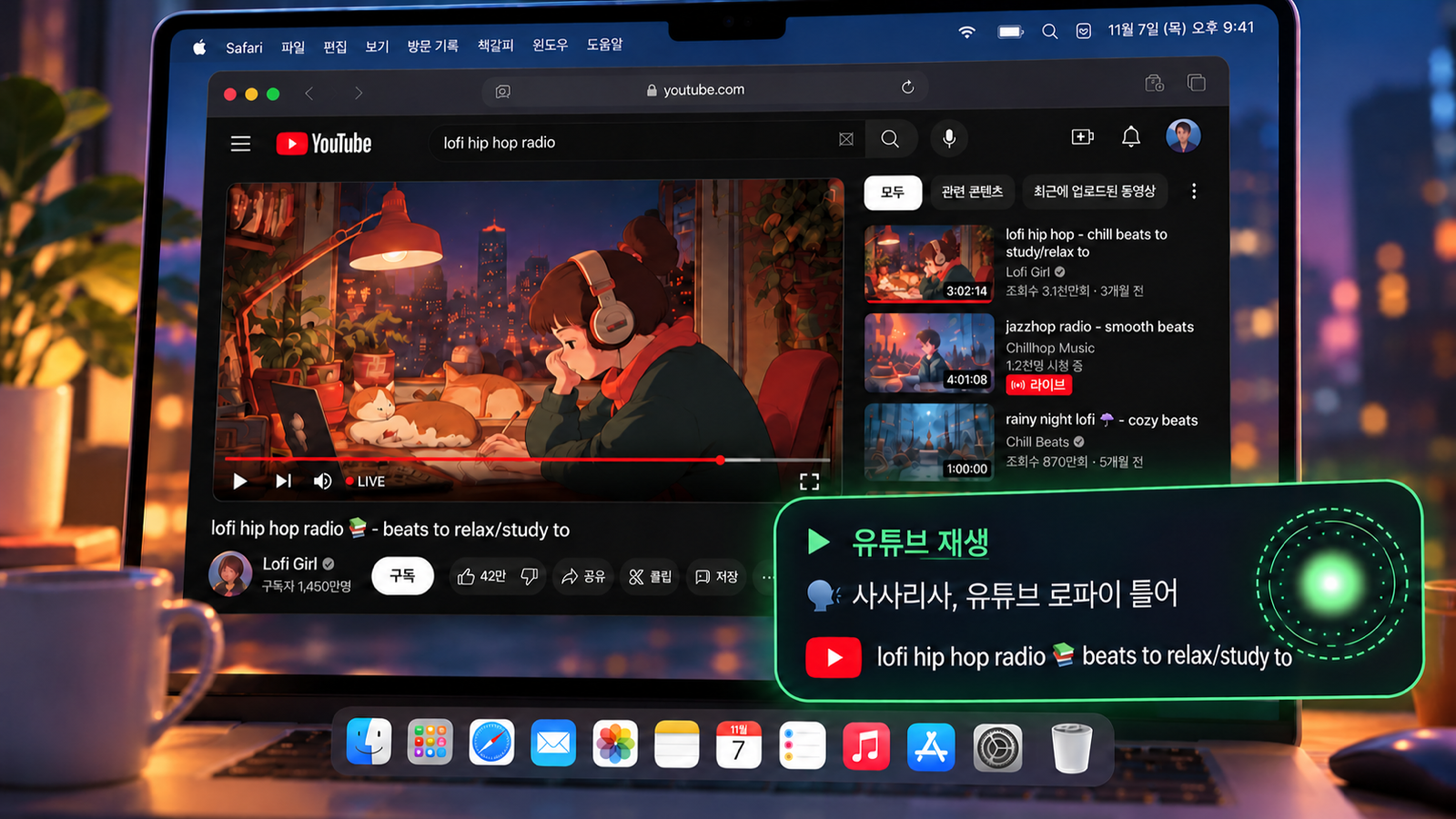
“Sasarisa, play lofi on YouTube” — the video starts in Safari and the card in the corner confirms it
Why Sasarisa

Dictation apps turn speech into text. You still have to click, open, search and send — by hand.

Sasarisa finishes the job. Everyday things happen on your Mac in about a second; anything that needs thinking goes to Claude Code, which looks at the screen and does it. It gets faster the more you use it.

What it can do

From easy chores to coding,
just say it.

Green happens on your Mac in about a second. Purple goes to Claude Code.

YouTube & music

“Play lofi on YouTube”
“Next video”

instant

Shopping & search

“Shop for wireless earbuds on Amazon”
“Search for MacBook reviews”

instant

Timers & reminders

“3 minute timer”
“Remind me in 20 minutes to stretch”

instant

Volume & tabs

“Volume 30”
“Close all tabs”

instant

Rewrite text

Select text, then
“Make this more polite”

instant

Coding & screen work

“Tell Claude to fix the login bug”

Claude

Several at once and your own routines work too — and it's Korean-first, with 12 languages supported.

How to call it

Call it, or hold a key and talk.

Rename it if you like. After the first call, keep talking for 30 seconds without the name.

“Sasarisa”or “Hey Sasarisa”

Talk after the chime. It acts within 0.9 seconds of you finishing.

Right ⌥ hold & talk

Like Handy: listens while held, runs on release. Most accurate in noisy rooms.

“That's all” · “Stop”

Cut in any time — even over speakers, if you talk close to the mic.

Speed

No waiting for the everyday stuff.

Time from the end of your sentence to action (measured on a Mac mini).

Quick commandsYouTube, volume, timers
~1 s
Things it learnedinstant from then on
~1 s
Rewrite selectionpolite, translate, spelling
~4 s
Ask Claude Codelooks at the screen
~7 s

What you say often moves to the instant side the more you use it.

Safety

A voice in a video must never drive your Mac. Anything irreversible waits for your yes, and your voice never leaves the Mac.

SasarisaPress “Send”?
YesNo
Send, pay, delete — it asks. Even in act-right-away mode, irreversible actions wait for a spoken yes.
On this Mac onlyWake word · transcription
nothing uploaded
Your voice stays on your Mac. Listening and transcription run locally; only the text you hand to Claude leaves the Mac.
In a call · pausedwhile Zoom, FaceTime or Handy uses the mic
It pauses during calls. Meeting audio never becomes a command — it stops listening and comes back when the call ends.

Built on Claude Code.
Voice coding, all the way.

  • Uses your Claude planNo API key — log in to Claude Code once and you're done.
  • Safe mode with a fixed tool listNo file deletion, no arbitrary commands, no driving the Terminal.
  • Bring another brainOpenAI, Gemini or a free local model — behind the same guards.
● Listening“Tell Claude to fix the login bug”
Install

Ready in ten minutes.

Apple silicon Mac (M1 or later) · macOS 14+ · a paid Claude plan (Pro, Max or Team)

1

Install and log in to Claude Code

Follow the setup guide, then run “claude” once in Terminal to log in.

2

Install Sasarisa

One line in Terminal — or “Download for macOS” above (notarized by Apple).

brew install --cask mvcompany8500-web/tap/sasarisa
3

Fix anything red on the setup screen

Allow the microphone, speech recognition and accessibility, and download the transcription model. When ◉ shows in the menu bar, say “Sasarisa”.

Windows comes later. The Mac comes first; a Windows version follows once wake-word listening and transcription there are as quick as on the Mac.
Free & Pro

Everything that runs
on your Mac is free.

Pro only covers what runs on our servers. Nothing that is free today will become paid.

Free now, and staying
  • Wake word, quick commands, dictation, rewriting
  • Every brain — local or with your API key
  • Sending to the right Claude window
  • Multi-step jobs like replying in a messenger
  • Routines, free mode, grow-together learning
Pro coming · part of the membership
  • Call it from your phone — your Mac at home does it
  • Sync across Macs — memory, routines, learned phrases
  • Routine library — pick up and share routines
  • Early features and priority help
Resources

Watch, follow along, tell us what to fix.

Start talking
to your Mac today.

Download for macOS